
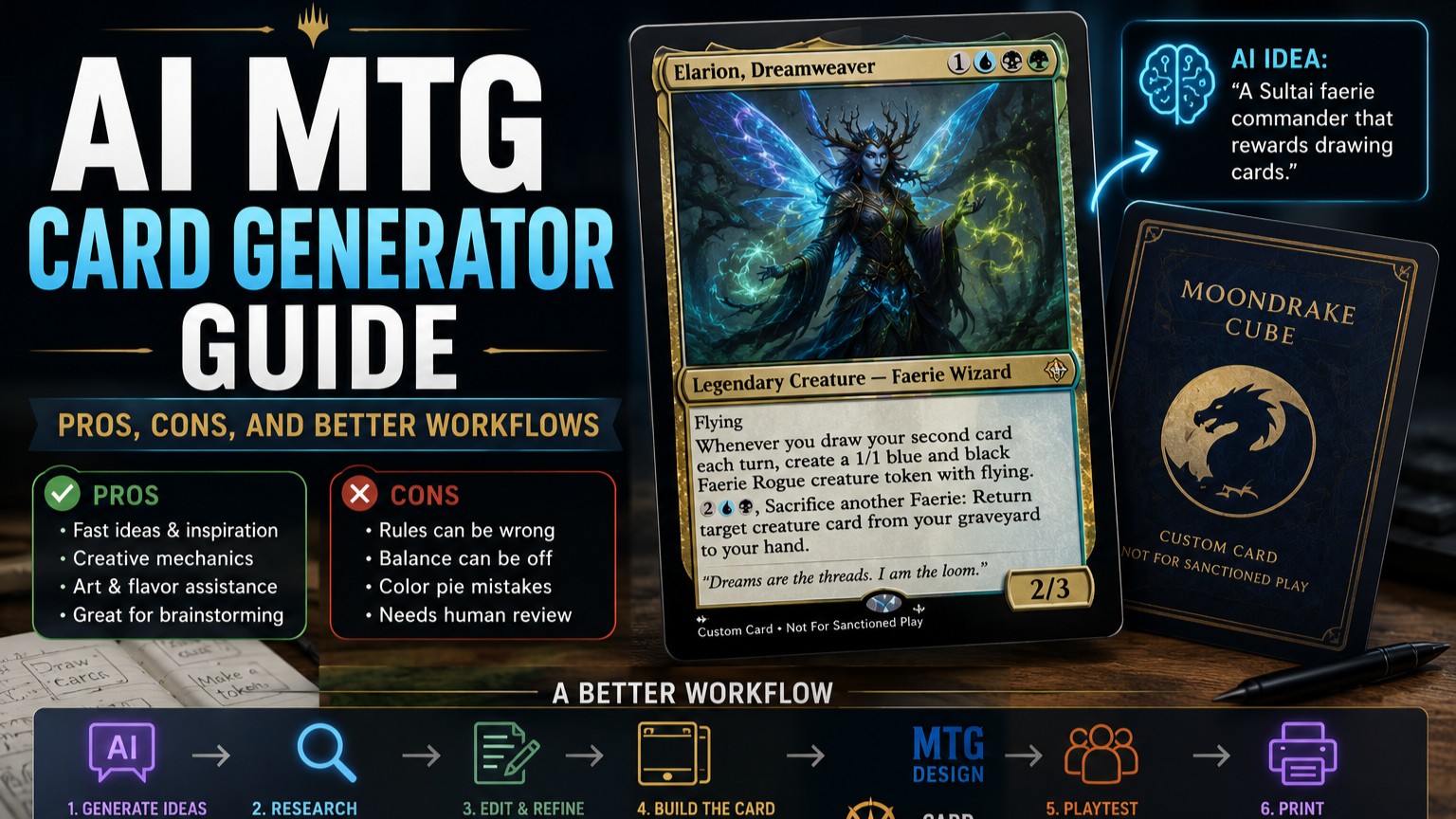
An AI MTG card generator can help with rough ideas, names, mechanics, flavor, and art direction. It is much less reliable for final rules text, color pie accuracy, balance, templating, and clean print files.
Use AI as a brainstorming assistant, not as the final designer. The better workflow is: generate ideas, compare them to real cards, clean up the rules text, build the card in a proper custom card editor, playtest it, then print it only for casual use.
For most players, AI is best at getting you unstuck. Human review is what makes the card playable.
An AI MTG card generator is a tool that uses a prompt to create a custom Magic-style card idea. Depending on the tool, it may generate the card name, mana cost, type line, rules text, flavor text, art prompt, or even a rendered card image.
That sounds convenient, and sometimes it is. You can type something like “make a blue-black legendary faerie commander that rewards drawing two cards each turn,” and an AI tool can give you a starting point in seconds.
But “starting point” is the key phrase.
Magic cards are tightly designed objects. A real card has color pie expectations, modern templating, format balance, rules interactions, rarity expectations, art direction, and a layout that players can read quickly. AI can imitate the shape of that. It does not always understand the structure underneath.
That is why the best AI MTG card generator workflow is not “prompt, download, print.” It is closer to “prompt, edit, check, rebuild, test, revise.”
AI is genuinely useful in the early stages of custom card design.
The first benefit is speed. If you have a broad theme but no clean card idea yet, AI can generate several directions fast. That is useful for custom commanders, fan-made sets, cube test cards, and joke cards for a playgroup.
The second benefit is variety. AI is good at offering angles you may not have considered. A dragon commander could care about Treasures, sacrifice, artifacts, combat damage, spells with X in their cost, or exiling cards from your library. Not every suggestion will be good. But a few might open a path.
The third benefit is flavor. AI can help with names, worldbuilding, ability names, creature concepts, and short flavor text. It can also help rephrase a card so it sounds more like a Magic card, though you should still compare the result to official wording.
AI can also help non-artists produce art direction. Some custom card tools now include AI image generation directly. MTG Cardsmith, for example, describes an easy live editor, HD frames, and an AI image generator feature, while Artificer lists a large frame library and AI image generation for custom card designs.
The short version: AI is good at idea generation. It is good at helping you move from a blank page to a rough draft.
The biggest problem with AI-generated Magic cards is that they often look more finished than they are.
A generated card may have a cool name, a flashy ability, and fantasy-style art. But the rules might not work. The mana cost might be wrong. The wording might be outdated. The color identity might be unclear. The card might accidentally go infinite with itself. Or it might be so weak that nobody would ever play it.
AI also tends to overdesign. It loves cards with three or four abilities, custom counters, triggered effects, cost reduction, token creation, and a final line that draws cards for good measure. That can be fun to read once. It is not always fun to play against.
Common AI card generator problems include:
There is also the art issue. Wizards of the Coast has stated that artists, writers, and creatives contributing to final Magic TCG products are required to refrain from using generative AI tools for final Magic products. Wizards also said it was updating vendor processes around marketing art after a 2024 generative AI controversy.
That does not mean a casual player cannot use AI to brainstorm a personal custom card. It does mean you should be clear about what you are making, avoid presenting AI work as official, and be careful if you plan to share or distribute anything publicly.
The best use of an AI MTG card generator is concept work.
Ask it for ten possible commander concepts. Ask it for a cleaner version of a mechanic. Ask it for names that fit a graveyard-themed Sultai deck. Ask it for three simpler versions of a card. Ask it to identify why a design might be too strong.
That is useful.
Do not trust it blindly with final card text. Magic wording is specific for a reason. A small wording change can alter targeting, replacement effects, triggered abilities, timing, and what happens when a card leaves the battlefield.
For official wording patterns, use Scryfall as a reality check. Scryfall’s card data includes Oracle text, and its API documentation also exposes structured card fields that are useful for checking card names, mana costs, type lines, and current wording.
A good workflow is to search for real cards that already do something close to your idea. If your AI-generated card says, “Whenever you cast a creature, make a food token,” search for similar triggers. Look at how Wizards words “whenever,” “create,” “Food token,” and “cast.” Then rewrite your custom card in that style.
AI can draft. Scryfall can keep you honest.
A better AI custom card workflow looks like this:
First, use AI for rough ideas. Ask for several versions, not one. The first answer is often too obvious or too crowded.
Second, choose the cleanest concept. A custom card should usually do one main thing. If the generated card has five moving parts, cut it down.
Third, compare it to real cards. Use Scryfall to find official cards with similar effects. Check mana value, rarity, color, and wording.
Fourth, rewrite the rules text manually. This is where the card becomes playable. Use current Magic phrasing where possible.
Fifth, build the card in a real custom card editor. A tool like MTG.Design is useful for making browser-based custom cards, while Card Conjurer describes itself as a web-based custom card creator with custom templates and editing options.
Sixth, playtest before printing. A card that reads well may still be miserable at the table.
That flow is slower than clicking “generate,” but it creates better cards.
A custom MTG card does not exist in a vacuum.
A commander is judged by the 99 cards around it. A cube card is judged by its draft environment. A custom removal spell is judged against the threats it answers. A joke card is judged by whether people laugh once or groan every time it resolves.
That is why deckbuilding tools matter. Moxfield describes itself as a modern MTG deck builder with different deck views, while Archidekt describes a visual deckbuilding workflow with card search, stats, price comparison, playtesting, and collection tools.
For a custom commander, put the deck together before finalizing the card. Does the commander draw too many cards? Does it make too much mana? Does it turn every cheap spell into a combo piece? Does it actually support the theme you wanted?
For cube, make a test version and draft it. AI-generated cards often look interesting in isolation but create repetitive games when placed in a real environment.
Bad prompt:
“Make a powerful red dragon commander.”
Better prompt:
“Create three rough concepts for a mono-red legendary Dragon commander for casual Commander. It should support Treasure tokens and combat damage, avoid infinite combos with common staples, and fit around power level 6 or 7. Keep each version under 80 words of rules text.”
That second prompt gives the AI constraints. Constraints are what make custom cards better.
You can also ask for critique:
“Review this custom MTG card for color pie issues, rules ambiguity, and power level concerns. Suggest a simpler version.”
That is often more useful than asking the AI to create the card from scratch.
Here is a practical workflow that works well:
Ask AI for several rough designs. Do not pick the flashiest one automatically. Pick the one with the cleanest play pattern.
Decide what the card is supposed to do. Is it a build-around commander? A cube role-player? A token? A silver-bordered joke? A test card for a mechanic?
Use Scryfall to find official comparisons. Look at mana costs, stats, rarity, and wording.
Cut extra abilities. Keep the main idea. If the card needs reminder text, make sure there is room for it.
Use MTG.Design, Card Conjurer, MTGCardBuilder, or another editor to create the actual card face. MTGCardBuilder says its editor supports many frames, editable card elements, high-resolution output, and a gallery where users can duplicate and edit cards.
Print a rough version first. Sleeve it over a basic land. Do not order a polished version until the card survives a few games.
Once the design is stable, you can print better copies. PrintMTG supports decklist uploads and custom proxy design/printing workflows for casual Commander, cube, and playtesting projects.
AI is best for:
AI is weaker for:
That does not make AI useless. It just means the tool needs a human editor.
Custom cards and AI-generated cards are for casual use, playtesting, cube projects, and personal fan projects. They should not be presented as official Wizards products.
Wizards’ Fan Content Policy says Fan Content does not include creating counterfeit or proxy Magic cards, and it also says creators cannot use Wizards logos or trademarks without prior written permission.
For play, Wizards’ proxy policy says cards used in DCI-sanctioned events must be authentic Magic cards, with a narrow exception for judge-issued proxies when a card is damaged during an event.
So keep the line clear. Do not sell AI-generated cards as official cards. Do not copy official card backs to confuse people. Do not use custom cards in sanctioned events. For casual groups, ask first.
Most players are fine with a clearly marked custom card in the right setting. They are less fine with surprises.
Use an AI MTG card generator when you need ideas. Do not use it as the final authority.
The best custom Magic cards come from a mixed workflow: AI for brainstorming, Scryfall for reality checks, a card editor for layout, deck tools for testing, and human judgment for balance.
That workflow takes a little longer, but the result is much better. The card reads cleaner. The table understands it faster. And the design is less likely to become a problem after two games.
AI can help you get started. The better card still comes from editing.